 Fleurette
Private cycle care, on device
A private, gentle way to understand your cycle
Track your period, symptoms, and mood on iPhone and Apple Watch, with iPad coming soon. Your cycle database stays on your device — with honest predictions shown as ranges, never fake certainty.
● Free for 14 days · then US $9.99 once · no accounts, no trackers, ever
U.S. price per app. Local App Store prices vary. No automatic charge.
Launching first on iPhone and Apple Watch. iPad is coming soon.
Not birth control · Estimates only · Not medical advice.
Fleurette Flow is a private period & cycle tracker for iPhone and Apple Watch, with iPad coming soon. It keeps your cycle dates, symptoms, moods, and predictions in a local database — there is no account, no Fleurette server, no analytics, and no tracker. Predictions for your next period and fertile window are always shown as honest ranges, never a single certain day. The whole app is free for 14 days, then a single one-time purchase makes it yours for life: no subscription, nothing to cancel, and export and delete stay within reach whatever you decide.
Why you'll love it
Cycle tracking that's honest & kind
Flow keeps its cycle database on your device and presents estimates with their uncertainty. Optional Apple Health access and paired Watch snapshots stay under your control.
Honest predictions, shown as ranges
Your body isn't a calendar, so Flow never pretends it is. Future periods and fertile timing appear as a confidence range or gradient band — never a single, falsely certain day.
- Every prediction is a date plus a range, with the peak day clearly labelled
- Uncertainty widens automatically when your history is limited or cycles are changing
- Ovulation is labelled an estimate; temperature patterns add retrospective context, not proof
- A deterministic engine does the math — so the numbers are consistent and explainable
Log what matters to you
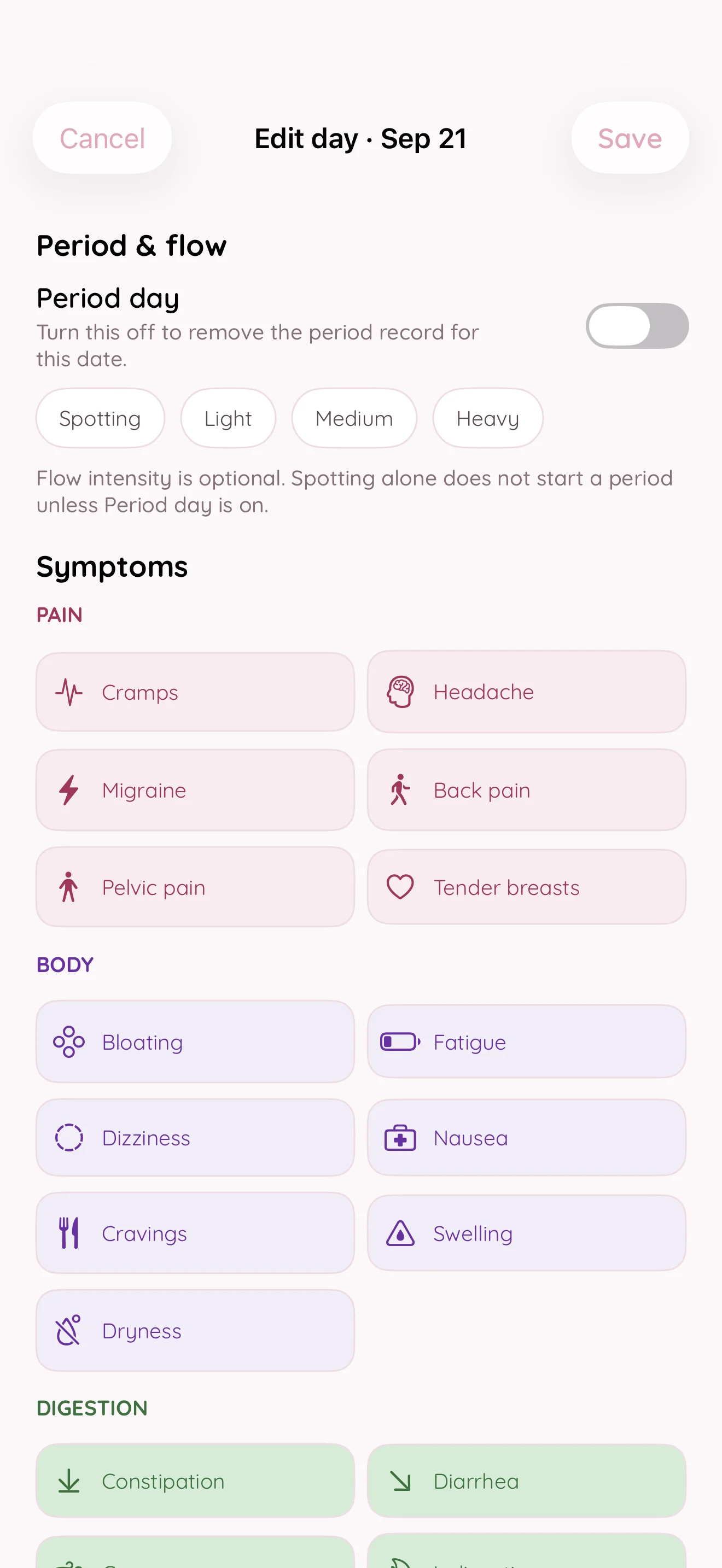
Record as little or as much as you like — a gentle daily sheet captures your period and everything around it, in language that never presumes who you are or why you're tracking.
- Flow, symptoms, mood, sleep, temperature, LH tests, cervical mucus, medication notes & more
- Cycle tracking with fertility goals and contraception settings
- Change your focus without deleting your history — your record is always yours to keep
Your whole cycle, at a glance
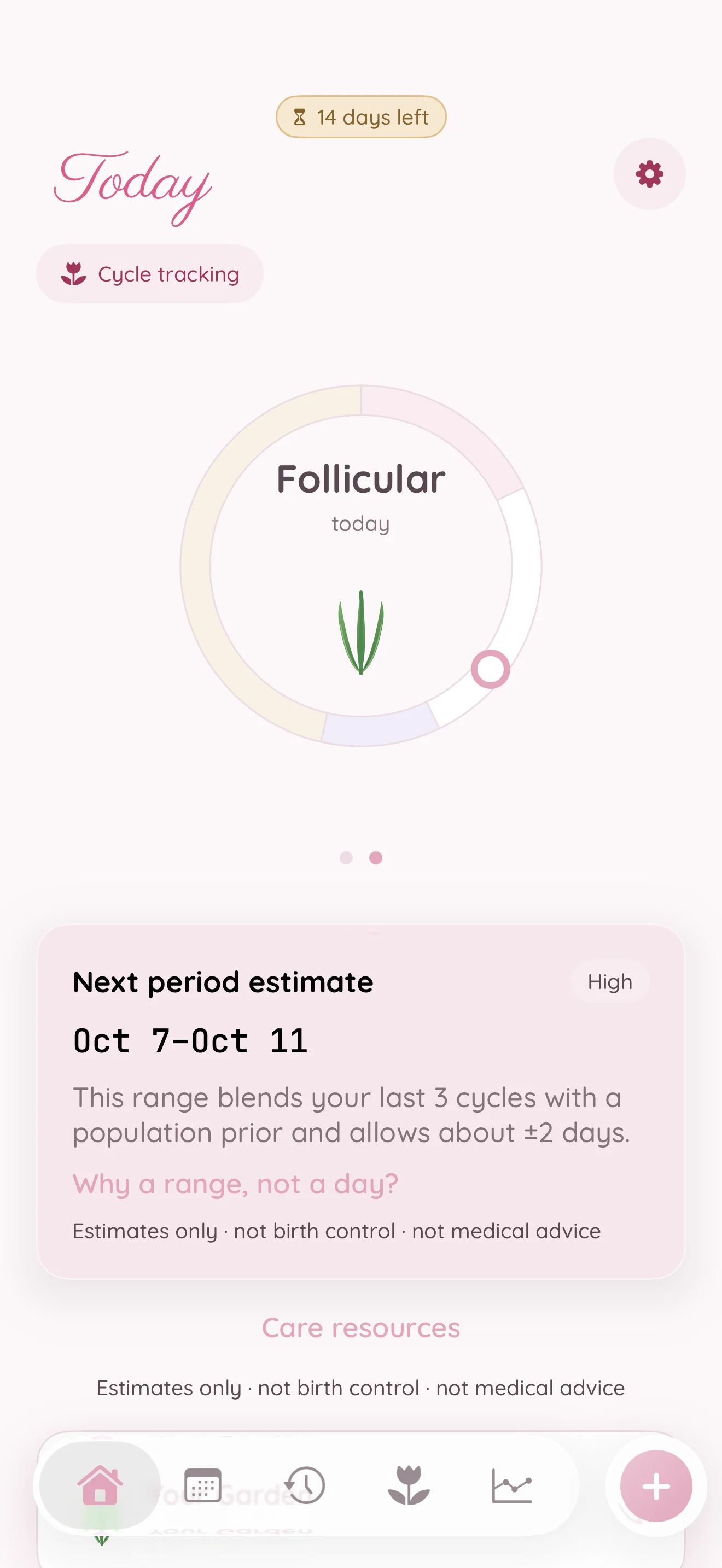
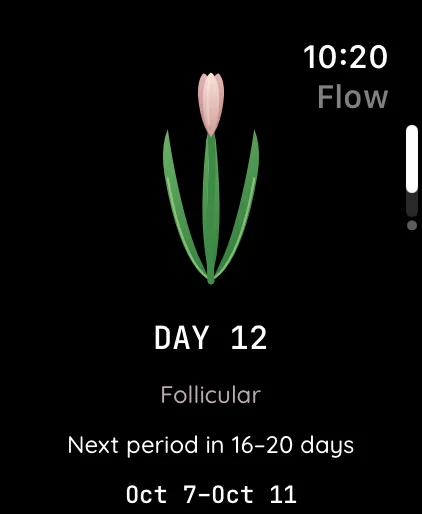
Swipe right from the home calendar to reveal your circular phase tracker. A tulip at its center reflects your current phase, with the next period estimate below and uncertainty kept visible.
- The Bloom maps your phase to a gentle tulip — never a scary red warning
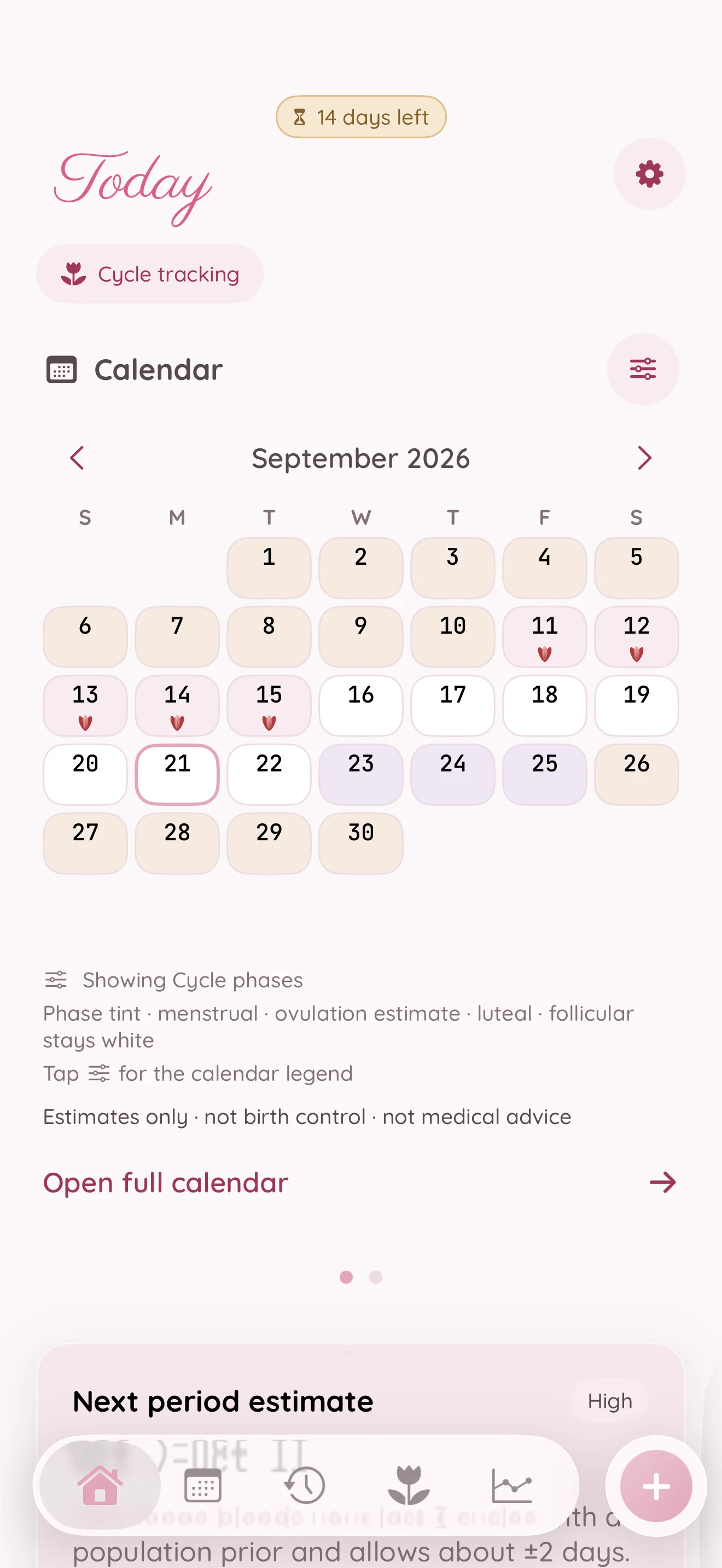
- The Cycle Ring calendar shows your period and a fertile-window gradient with visible uncertainty
- Exact dates and counts in clean, tabular figures whenever you want the detail
A Garden for the care you give yourself
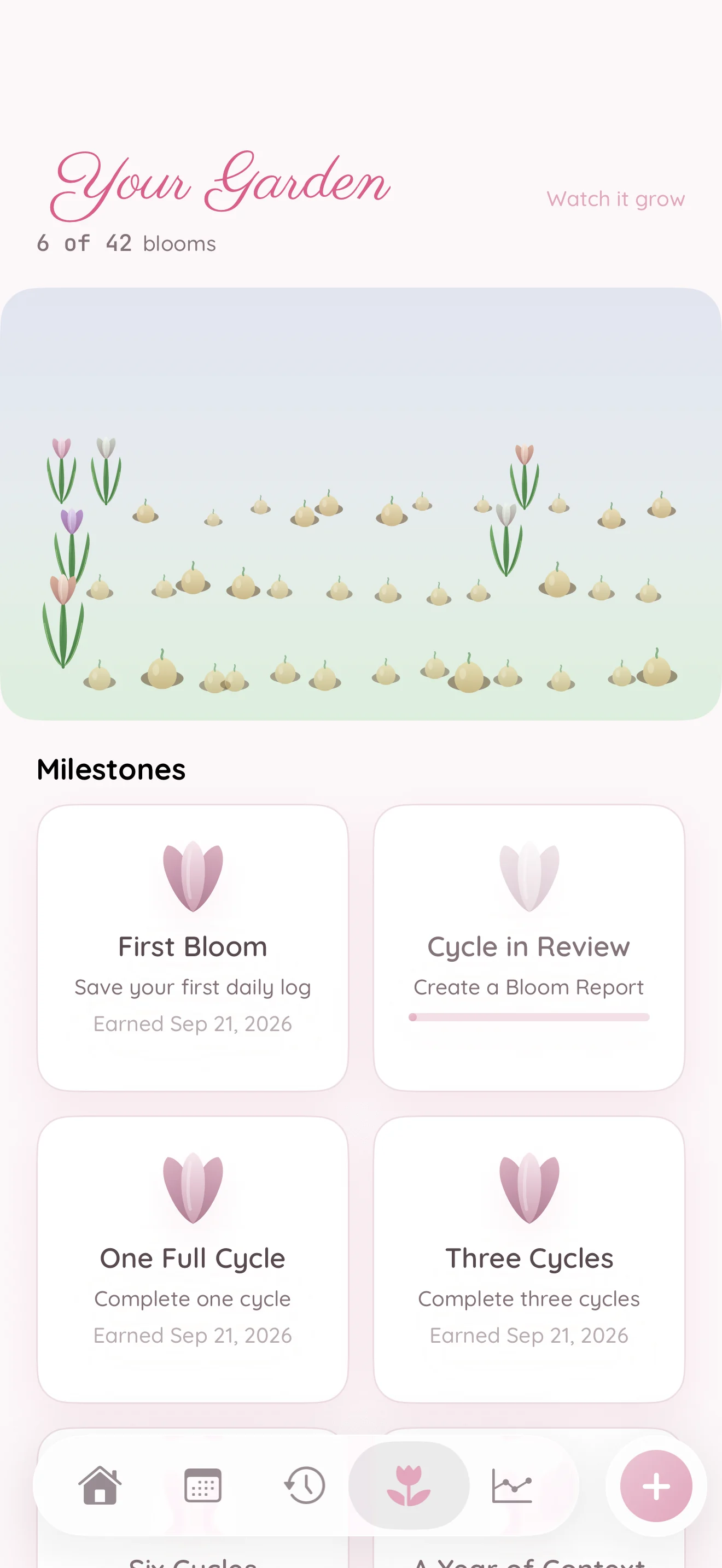
Small check-ins become flowers in your Garden. See the achievements you have earned and the blooms still ahead, with encouragement for returning to your routine.
A little cycle context, on your wrist
With a supported Apple Watch, Flow can use your overnight wrist temperature to identify a temperature pattern after it happens — honest science, never a prospective "ovulating now" alarm.
- See retrospective wrist-temperature patterns when supported data is available; a temperature shift does not prove ovulation
- A calm Apple Watch companion for a glance at your day and quick logging on the go
- Temperature is one input among many — Flow never hangs a certain answer on a single signal
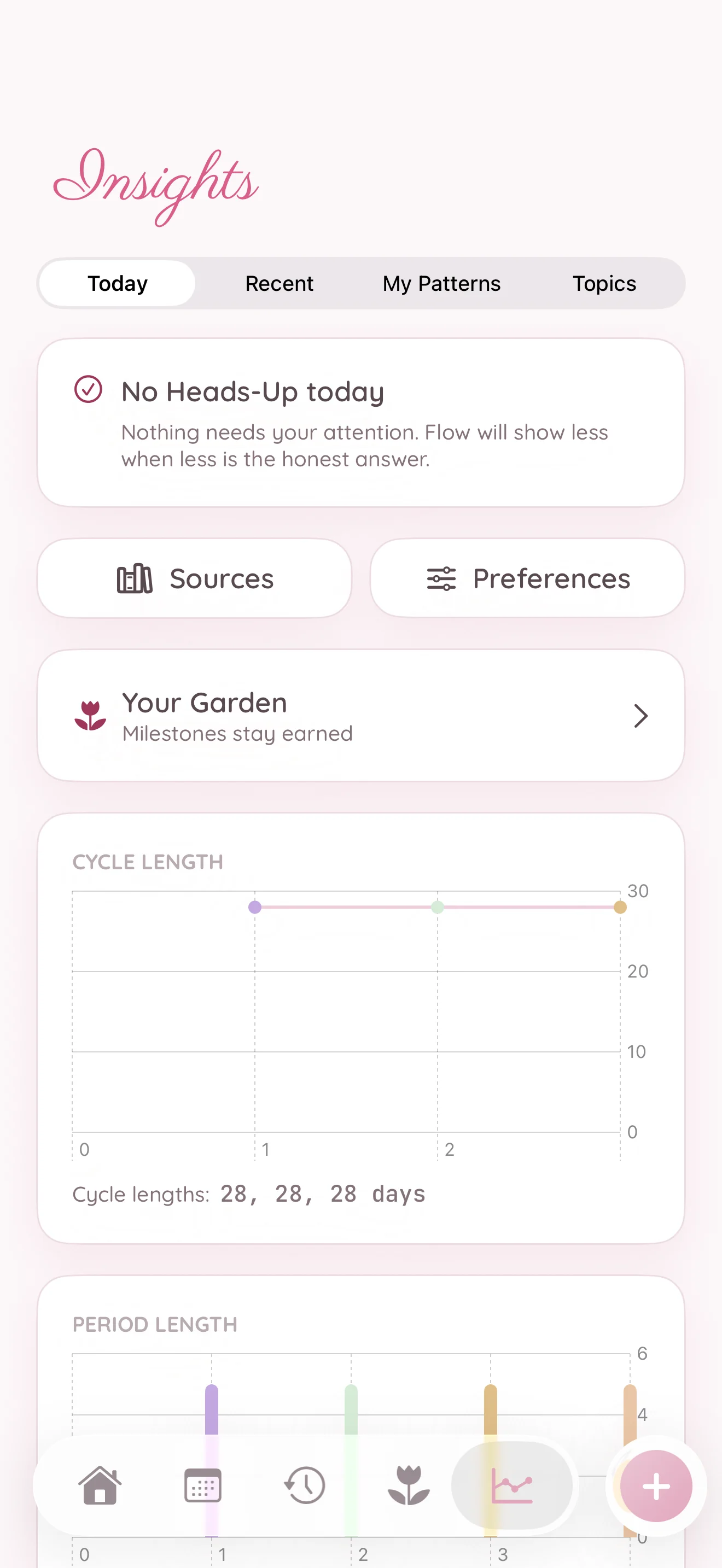
Find patterns in your own history
Explore cycle length, period length, and the observations you have logged over time. Flow brings the record together on your device, so you can see what changes from cycle to cycle.
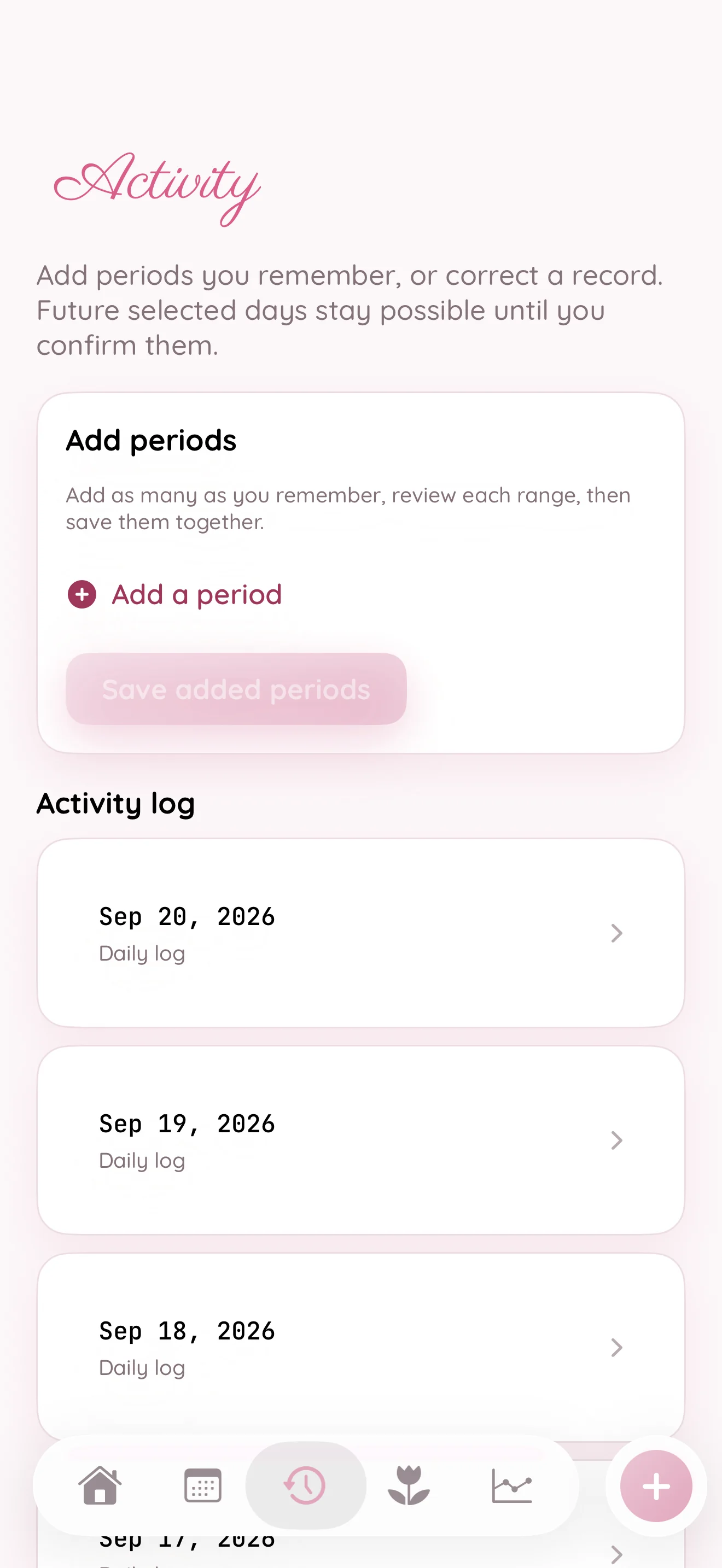
Keep the details in one place
Revisit your check-ins in Activity, with dates and the details you chose to record. Your history stays useful as your needs change.
Gentle intelligence, guarded by design
On eligible devices, Petal can phrase what your cycle data already shows — in plain, kind words. It runs on your device, makes zero network calls, and never diagnoses or does the math itself.
- Petal Intelligence phrases facts from Flow's engine — it never calculates a prediction or diagnoses a condition
- Clear templates step in when AI is off or unavailable — nothing ever breaks
- App Lock (Face ID / passcode) and privacy blur in the app switcher keep prying eyes out
Make it yours
Thirteen themes, one tap away
Every Fleurette app shares the same thirteen hand-crafted themes, each with a light and a dark variant. Tap one to preview it across the whole page, then set the appearance to Light, Dark, or System. We’ll remember both on this device.
The app screenshots change with your theme and appearance. Apple Watch keeps its native dark look.
Using this app’s default look
A peek inside
The same calm, on every screen
The initial release includes iPhone and Apple Watch. The Watch receives a limited snapshot from its paired iPhone; Flow does not offer iCloud cycle-record sync. iPad is coming soon.
Apple Watch at launch. iPad coming soon.
Apple Watch gives you a quick view and logging alongside your paired iPhone. An iPad edition is coming soon under the same app purchase. Your cycle history does not automatically sync between iPhone and iPad.
Three little steps
From first log to a clearer picture
Choose your focus
Start with cycle tracking, then add TTC focus or birth-control settings where they apply.
Log as you go
Tap in your period, symptoms, and mood from the app or your Apple Watch. Optionally let Apple Health fill in what it already knows.
See it clearly
Flow shows your cycle as honest ranges — where you are, what's likely next, and how sure it is — all without ever leaving your device.
The strictest privacy in the family
Your cycle records, under your control
Flow keeps its cycle database on your device. You control optional Apple Health access, exports and the paired Watch connection.
- Your cycle database is local, stored in a protected local database with full-strength file protection
- No iCloud sync of cycle records — your cycle records are not synced to iCloud by Flow
- No accounts, no servers, no analytics, no ad networks, no third-party trackers — none
- Apple Health is optional and split into three independent choices, all off by default — Flow works fully with every one declined
- Password-protected export and permanent local delete are built in and always included, even if you never buy
We target Apple's “Data Not Collected” privacy label. Put simply: there is no account to breach and no server to raid, because we don't have one. Read the full privacy policy →
Your cycle stays with you. We do not receive your cycle records. You control Apple Health access, the paired Watch, and any exports you choose to save.
Simple & honest
Free for two weeks. Then yours for life
Use everything for 14 days. Then US $9.99 buys lifetime access to this app. Prices vary by App Store region. No subscription, nothing to cancel.
Then yours for life
U.S. lifetime price. Your App Store shows local pricing before you buy.
Coming soon to the App Store- Period & symptom logging with honest range predictions
- Advanced insights, the Cycle Ring & the full widget suite
- Apple Watch companion and optional Health temperature insights
- Every theme & eligible on-device Petal Intelligence
- Full privacy, App Lock & every tracking layer
- Password-protected export & permanent delete, always within reach
Your trial starts when setup is complete. Every feature is unlocked for 14 days, with no payment or purchase confirmation required. Nothing charges automatically. After the trial, normal app use pauses until you buy; saved data remains, and export, deletion, Restore Purchases, and legal information stay accessible. The lifetime purchase is billed once by Apple. Hardware-dependent features need compatible devices, and optional integrations need your permission.
Why not a subscription?
A small price, paid once
We chose a one-time price for apps you can make part of your day. Try every feature for 14 days, with no payment required and no automatic charge when the trial ends. If you want to keep using the app, buy it once. Each Fleurette app is a separate purchase, and Restore Purchases brings your access back with the same Apple Account.
Also from Fleurette
More little apps in the family


Good to know
Questions, answered
How do I get started?
Once Fleurette Flow launches, download it from the App Store and open it. Start with cycle tracking, then add TTC focus or birth-control settings where they apply. There's no account to create, and everything is unlocked for your first 14 days.
Is my cycle data private?
Completely. Your cycle database stays in a protected local store — there is no account, no Fleurette server, no analytics, and no tracker. Your cycle records are not synced to iCloud by Flow. Apple Health is optional and off by default. Fleurette Flow targets Apple's “Data Not Collected” privacy label: we do not receive your cycle records.
Do I need an account?
No. There is no sign-in and no account of any kind. You open the app and start — nothing to register, nothing to verify, nothing to remember.
Does it work without Apple Health?
Yes, fully. Apple Health is entirely optional and split into three independent choices — importing reproductive-health data, saving Flow entries back, and activity context — each off by default. Flow remains completely useful when you decline every one, and it never requests workout routes or location.
How accurate are the predictions?
Flow is honest about uncertainty. Future periods and fertile timing are always shown as a confidence range or gradient band, never a single certain day, and the range widens automatically when your history is short or your cycles are changing. Ovulation is labelled an estimate; a supported wrist-temperature shift can add context after it happens, but cannot prove ovulation. Flow is not birth control and not medical advice.
How does the Apple Watch feature work?
With a supported Apple Watch, Flow can use your overnight wrist temperature to show a temperature pattern after it happens. This adds context to your cycle history; it does not prove ovulation or identify safe days. The Watch companion also gives you a calm glance at your day and quick logging on the go.
Which devices does it run on?
Fleurette Flow launches on iPhone with iOS 26 and Apple Watch with watchOS 26. iPad is coming soon under the same app purchase. There is no Mac edition currently announced.
How much does it cost?
Fleurette Flow is free for 14 days, with nothing locked: logging, honest range predictions, advanced insights, every theme, the full widget suite, the Apple Watch companion and eligible on-device intelligence. After that, lifetime access is US $9.99 for this app. Prices vary by country; the App Store shows your local price before you buy. There is no subscription and nothing to cancel, and trial expiry does not erase your records.
Why isn't it a subscription?
We chose a one-time price so you can keep using Fleurette Flow without a recurring bill. Try the full app for 14 days, then buy lifetime access if it feels right for you. Nothing is charged automatically. If you do not buy, normal app use pauses, but export and delete stay available.
I bought it on another device. How do I restore it?
Tap Restore Purchases on the purchase screen or the unlock screen (it's in Settings too). One purchase covers this app on supported devices signed in with the same Apple ID. Family Sharing is not offered.
How do I export or delete my data?
You can export your supported records to a password-protected backup containing JSON and CSV records at any time, and you can permanently delete your data from your device whenever you like. Both stay within reach even from the unlock screen if your free trial ends, so you're always in control and never locked in.
Can't afford it right now?
That's genuinely okay. Understanding your own body shouldn't be something you have to pay for, and nobody should lose their cycle history over a one-time price. Email us from the app's Settings or at support@fleurette.app and we'll sort something out. 🌷
Need help, found a bug, or have an idea?
Email us anytime at support@fleurette.app — including your device (iPhone, iPad or Apple Watch) and its OS version helps us help you faster. Please never send screenshots that reveal cycle or health details you'd rather keep private — we don't need them to help. You can also use the contact form or share ideas on the ideas board. 🌷
Fleurette Flow is a wellness app. It is not birth control, does not provide medical advice, and its estimates are not a diagnosis. Talk to a healthcare professional about medical decisions.