 Fleurette
A cozy typing tutor for Mac & iPad
The prettiest way to learn to type
Practice touch-typing on real novels you love — on your Mac or iPad — and watch your skills bloom, one petal at a time.
● Free for 7 days · then $3.99/mo · no ads, ever
It is a truth universally acknowledged, that a single man in possession of a good fortune, must be in want of a wife.
Fleurette Typing is a cozy, pastel typing tutor for Mac and iPad. Instead of nonsense drills, you practice touch-typing on passages from real public-domain novels — with live speed and accuracy, a gentle finger guide, Duolingo-style streaks and a blooming garden of achievements, and private, adaptive stats that pick your next practice for you. Everything stays on your device; there’s no account, no ads, and no tracking.
Why you'll love it
Practice that feels like curling up with a good book
Most typing tutors are sterile and gray. Fleurette is soft pinks and creams, gentle petals, and prose worth reading — on Mac and iPad alike.
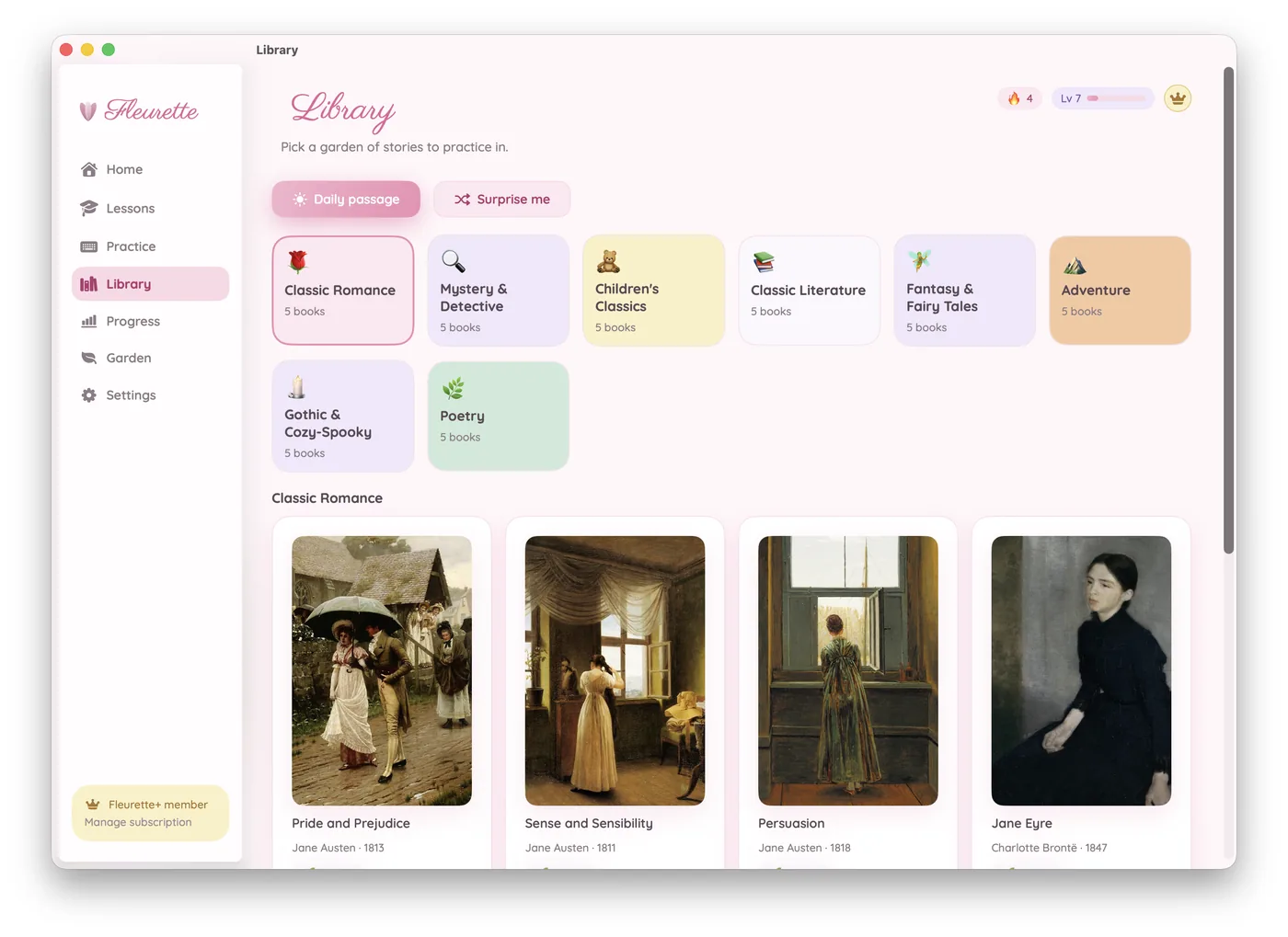
Real novels, by the genre you love
Skip the nonsense words. Type passages from beautiful public-domain literature, hand-picked into themed gardens.
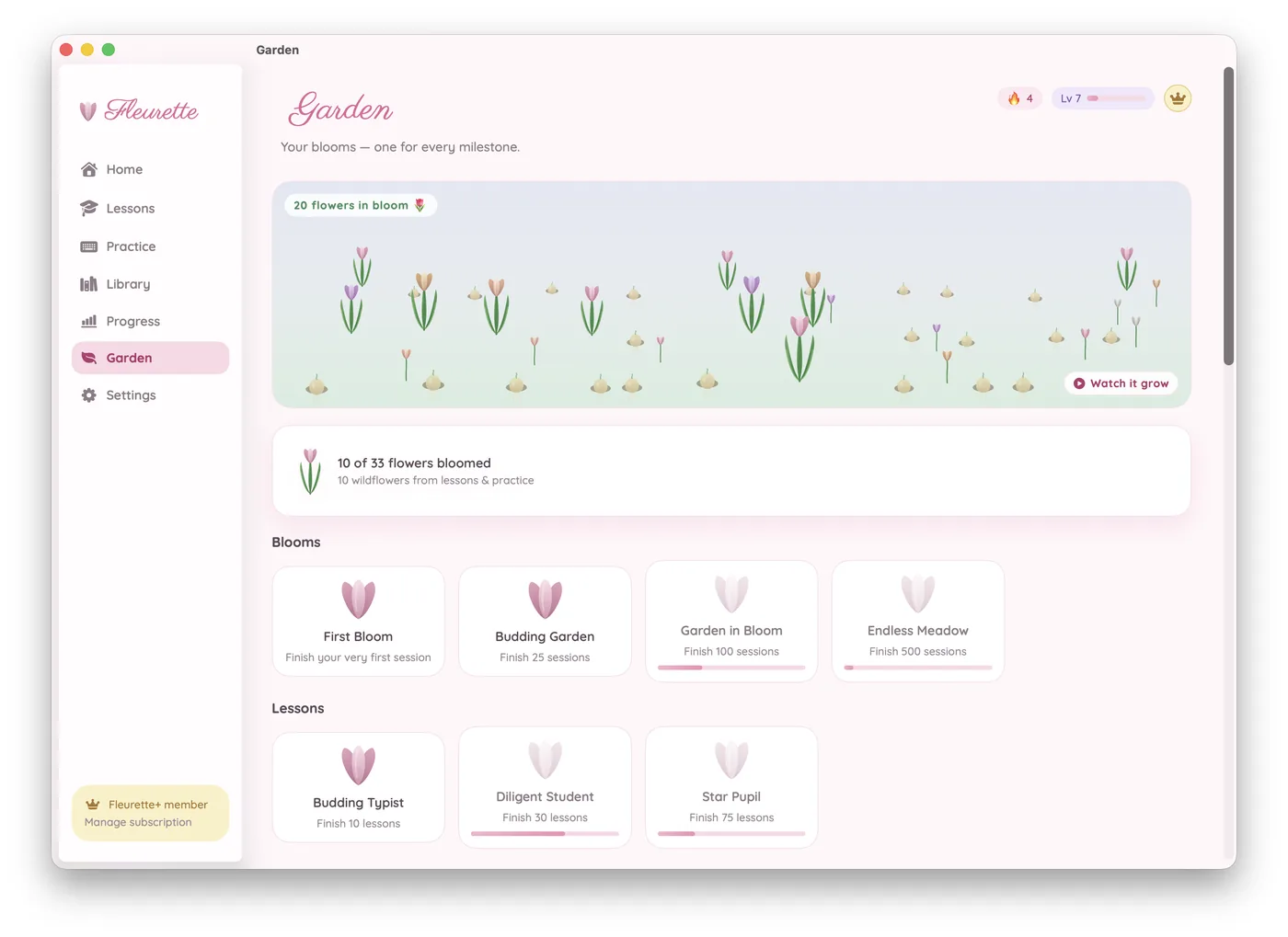
A streak worth keeping
A gentle daily-habit loop — dressed in flowers. Encouraging by design, never guilt-trippy.
- Daily streaks visualized as a flower that grows taller
- XP, levels, and a daily-goal petal ring
- A growing Garden of achievements to unlock
- Streak-freeze for the days life gets busy
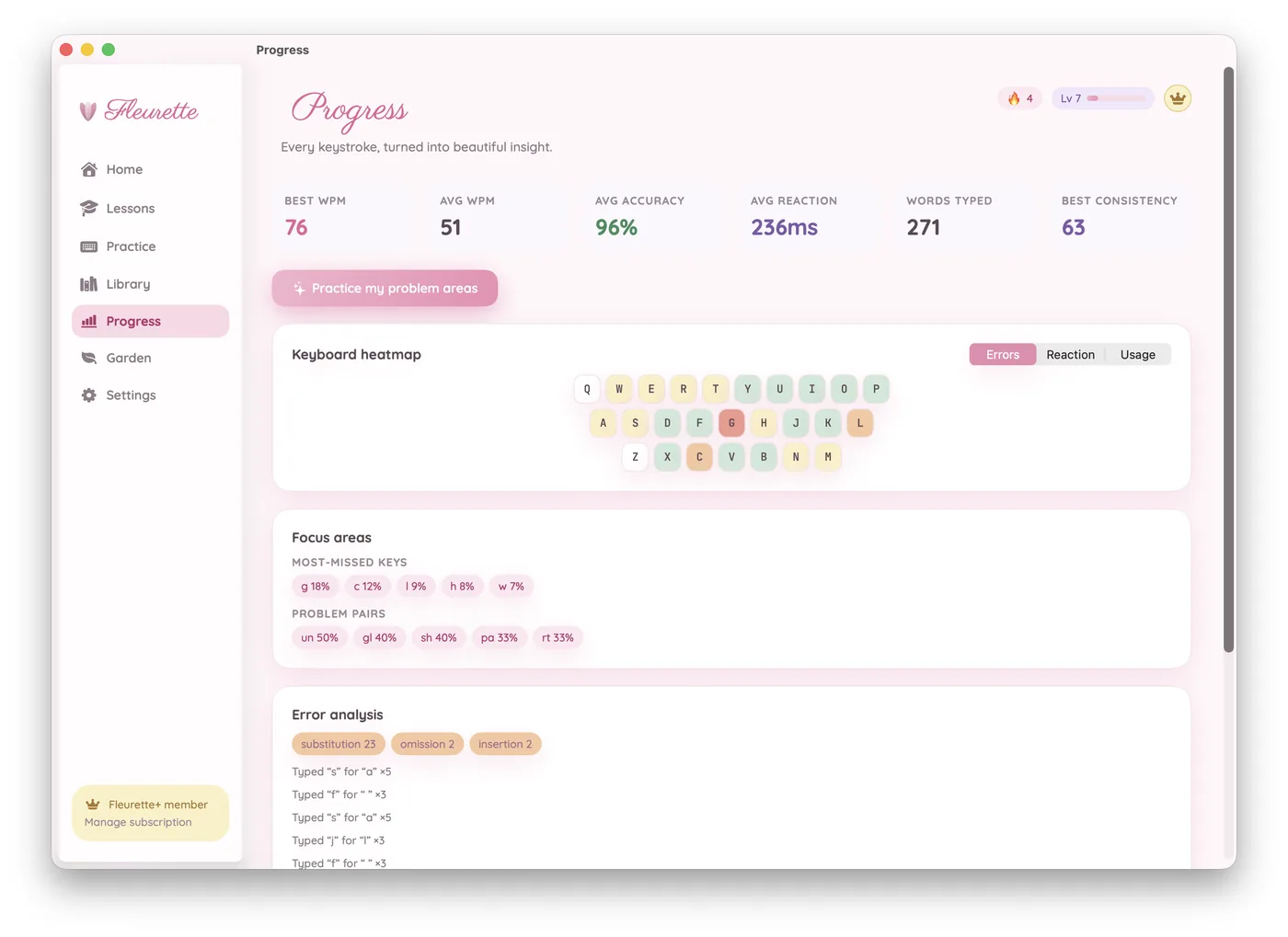
Stats that actually teach you
Every keystroke becomes a beautiful, glanceable insight — then Fleurette picks your next practice to target your weak spots.
- Per-key heatmap of accuracy, speed & reaction time
- Adaptive drills aimed at your problem keys
- A dedicated Reaction Drill for pure reflex speed
- 100% private — your data never leaves your device
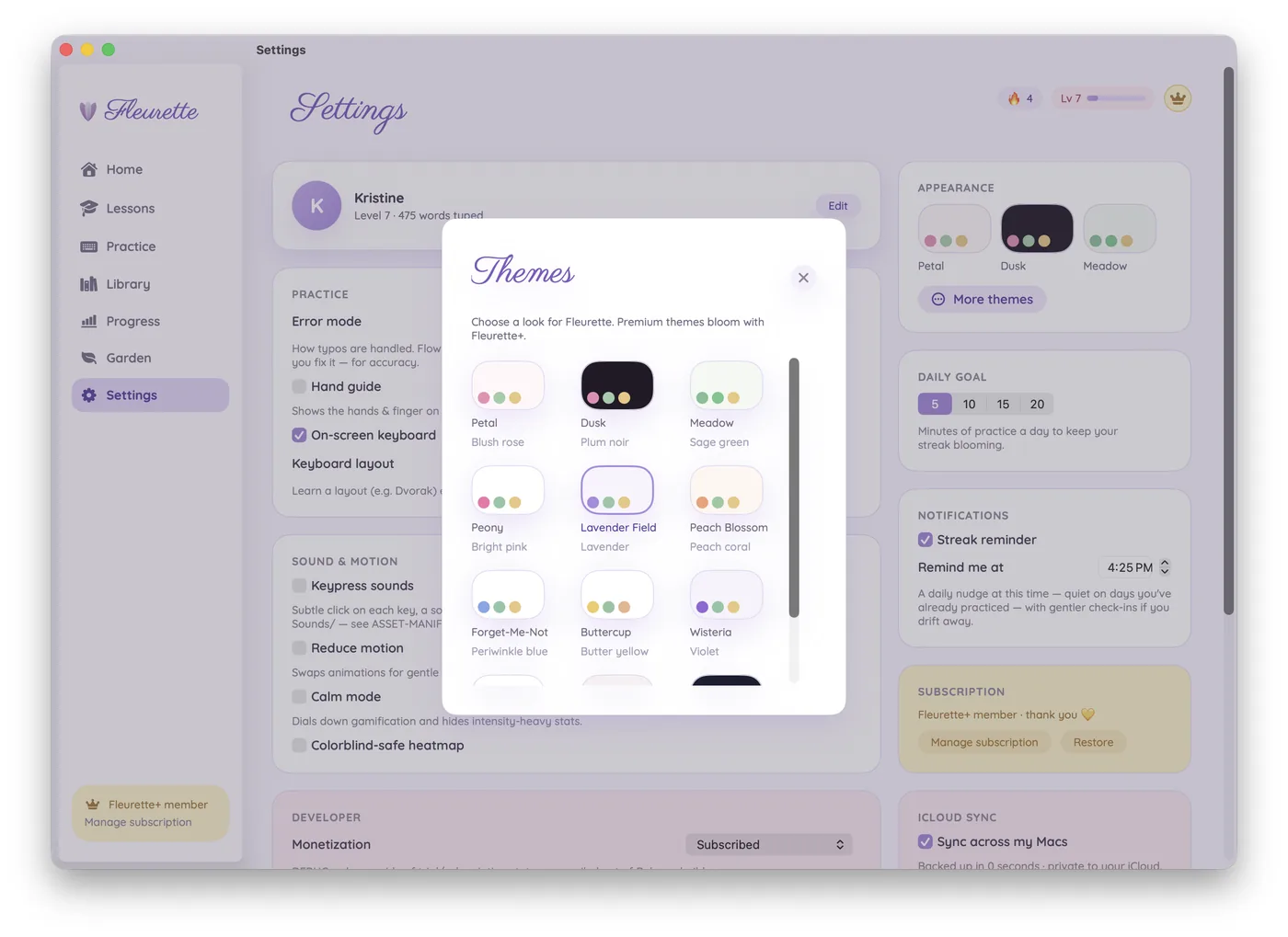
Cozy, calming, yours
A whole engine of pastel themes, soft keypress sounds, and a Calm mode that dials gamification down when you just want to type.
- 12 hand-crafted themes — Petal, Dusk, Peony & more
- Optional on-screen keyboard + finger guidance
- Full Reduce-Motion, VoiceOver & high-contrast support
Now on iPad, in beautiful landscape
The whole app, at full parity, on your iPad — pair an Apple Magic Keyboard and it feels just like the Mac, with your progress syncing between the two.
- Designed for the Magic Keyboard for iPad, with a matching on-screen key & finger guide
- A calm landscape layout made for typing
- One universal purchase — buy once, use on Mac and iPad
- Optional private iCloud sync keeps streaks & stats together across your devices
Screenshot #1 — coming soon
Make it yours
Thirteen themes, one tap away
Every Fleurette app shares the same thirteen hand-crafted themes, each with a light and a dark variant. Tap one to preview it across the whole page, then set the appearance to Light, Dark, or System. We’ll remember both on this device.
Using this app’s default look
Three little steps
From first keystroke to full bloom
Pick a genre
Choose a garden — romance, mystery, fairy tales — and a novel with a pretty cover.
Type a passage
Practice bite-size passages with live WPM, accuracy, and gentle finger guidance.
Watch it bloom
Earn XP, grow your streak, and let your private stats steer what you practice next.
A peek inside
Designed to be delightful
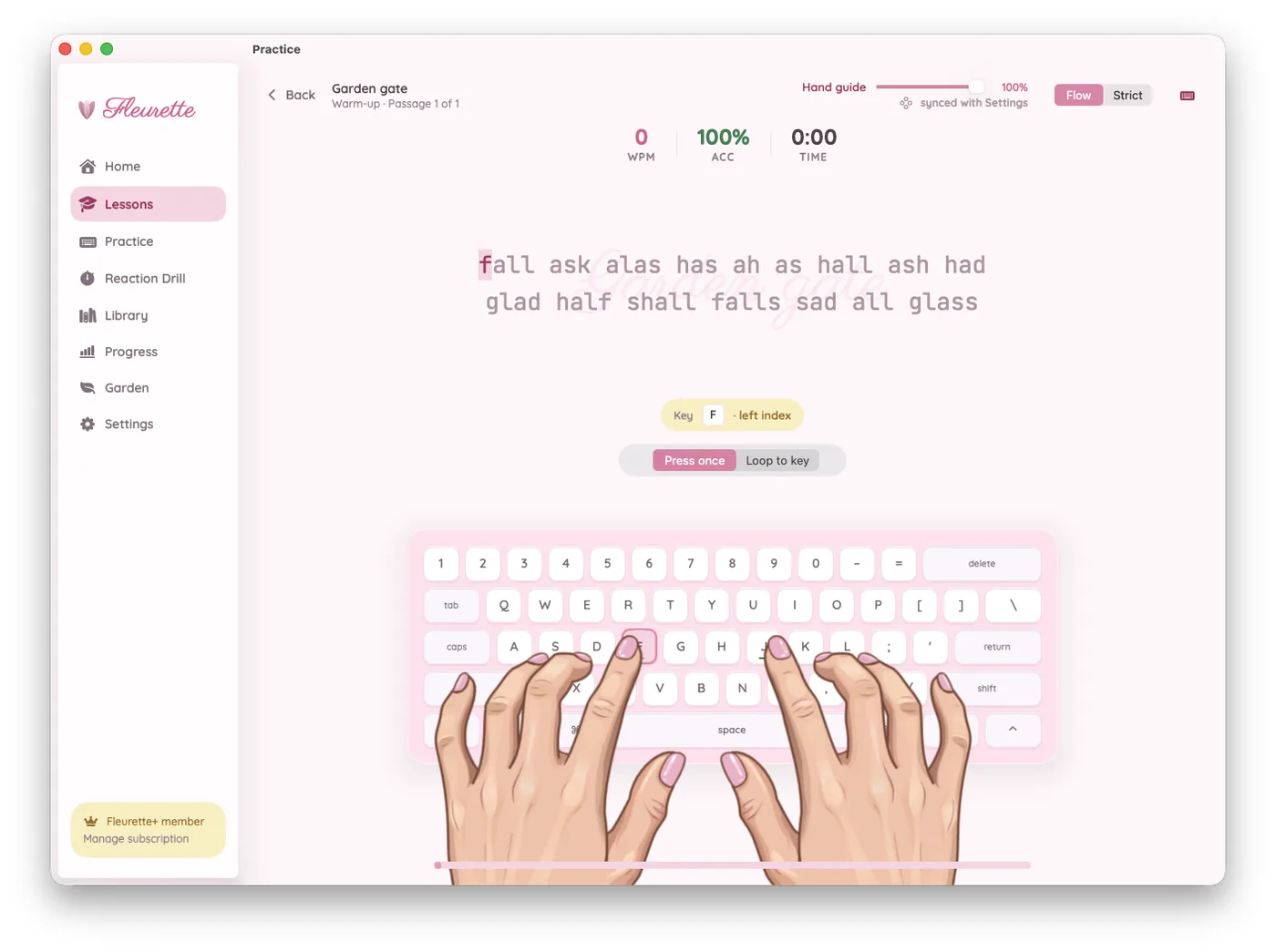
The signature Practice screen
Faint book-cover backdrop, prose in a calm monospace, a live hand guide that shows you exactly which finger to use — and a keyboard that lights up as you go.
Be first to try it 🌷Screenshot #2 — coming soon
Your whole garden, on iPad
Browse genres, track your blooming achievements, and read your stats — the same cozy Fleurette, in a landscape made for iPad.
Screenshot #3 — coming soon
Simple & honest
Free for a week. Then just a little
Every feature is included from day one — all genres, all stats, all themes, on Mac and iPad. One purchase covers both. No ads, no dark patterns, cancel anytime.
- Every genre & the full novel library
- The complete stats suite & adaptive practice
- All 12 themes & soft sound packs
- Private iCloud sync across your Macs & iPads
Subscriptions are billed through your Apple ID. One universal purchase works on both Mac and iPad. Manage or cancel anytime in Settings. Prices may vary by region.


Good to know
Questions, answered
Is it really free for 7 days?
Yes — you get the complete app free for 7 days, with every feature unlocked. After that, a subscription keeps it going. Your streak, progress, and stats are always saved.
What do I need to run it?
Fleurette Typing runs on macOS 15 (Sequoia) or later and on iPadOS 18 or later. On iPad it’s landscape-only and works best with a hardware keyboard — the Apple Magic Keyboard for iPad is the recommended layout. You can still type on the on-screen keyboard, but a physical keyboard is what real touch-typing practice needs.
Do I have to buy it twice for Mac and iPad?
No. Fleurette Typing is a single universal purchase — one subscription covers both Mac and iPad. Turn on optional iCloud sync and your streaks, stats, and progress travel with you between your devices.
Is my typing data private?
Completely. All your practice and stats live locally on your device. Nothing is uploaded, sold, or compared to other users. Optional iCloud sync only ever moves your own data between your own Macs and iPads, through your private iCloud.
Which novels can I practice on?
Carefully cleaned public-domain literature across eight genres — from Jane Austen to fairy tales — with new books added over time. No nonsense words, just prose worth reading.
Can I cancel anytime?
Of course. Manage or cancel your subscription anytime from Settings → your Apple ID → Subscriptions. No guilt, no dark patterns.
I subscribed on another device — how do I restore it?
In Fleurette Typing, open Settings and choose Restore Purchases. Make sure you're signed in with the same Apple ID you used to subscribe — one subscription covers all the Macs and iPads on that Apple ID.
Need help, found a bug, or have an idea?
Email us anytime at support@fleurette.app — including your device (Mac or iPad) and its OS version helps us help you faster. You can also use the contact form or share ideas on the ideas board. We're a tiny garden and read every message. 🌷